Scanning

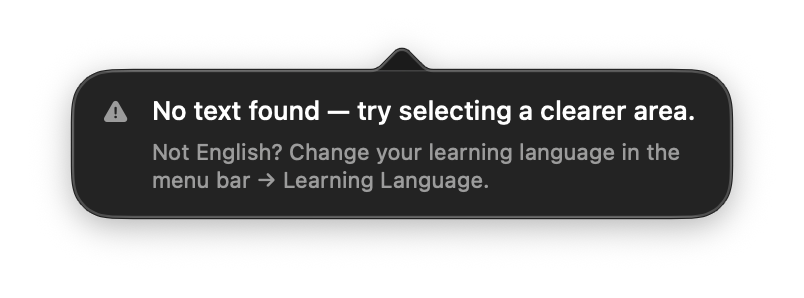
Scanning says “No text found”

Most of the time this isn't about blur — it's about language. Your Mac reads text best in the language you're learning, so if the words on screen are in a different language, switch your learning language in the menu bar and scan again.

Leafy's "No text found — try selecting a clearer area" message, with a hint reading "Not English? Change your learning language in the menu bar → Learning Language."

Why this happens

Leafy uses your Mac's built-in text reader to pull words off the screen. That reader gives priority to the language you've set as your learning language.

So if you're set to learn, say, English but scan a line of Thai or Greek, the reader may come back empty — even when the text looks perfectly clear to you. It isn't broken; it just wasn't looking for that language.

How to fix it

  1. Click the Leafy leaf icon in your menu bar (top-right of your screen).
  2. Open Learning Language and choose the language you're actually scanning.
  3. Scan again with ⌥A (or Box Select Scan). The words are picked up now.

Still nothing after switching?

Then it may genuinely be too small or too fuzzy to read. Zoom the page in a little, or draw a tighter box around just the word or line you want, and try once more.

Still getting “No text found”? Email us at binjto@gmail.com and we'll help you sort it out, or chat with us on Discord.

Leafy only ever reaches out from binjto@gmail.com, Discord as jtobin0935, or u/Thin-Lawfulness-7861 on Reddit, and nowhere else.