


LeafyApp

⌥A over any word on screen.
It reads the sentence, not just the word.

Download

macOS 14+, totally free

Join other readers

While you're reading

She had read the word a hundred times before, but only now, by the river at dawn, did it truly land:
the water was effervescent , and for a moment the whole current seemed to lift and breathe, each ripple catching the first pale light and breaking it into a thousand small bubbles of gold that rose, trembled, and were gone before she could name them. She read the sentence again, slower this time, mouthing the word to feel its shape, and something about the morning, the cold air, the moving water, the hush over everything, made it stay with her for good.

Three keys, then it is yours.

Press ⌥A Anywhere, in any app. The cursor turns into a box.

Box the word Drag over anything on screen. Text or picture, it makes no difference.

Read it The meaning appears under the word, in the sentence you met it in.

The pages nobody else can select.

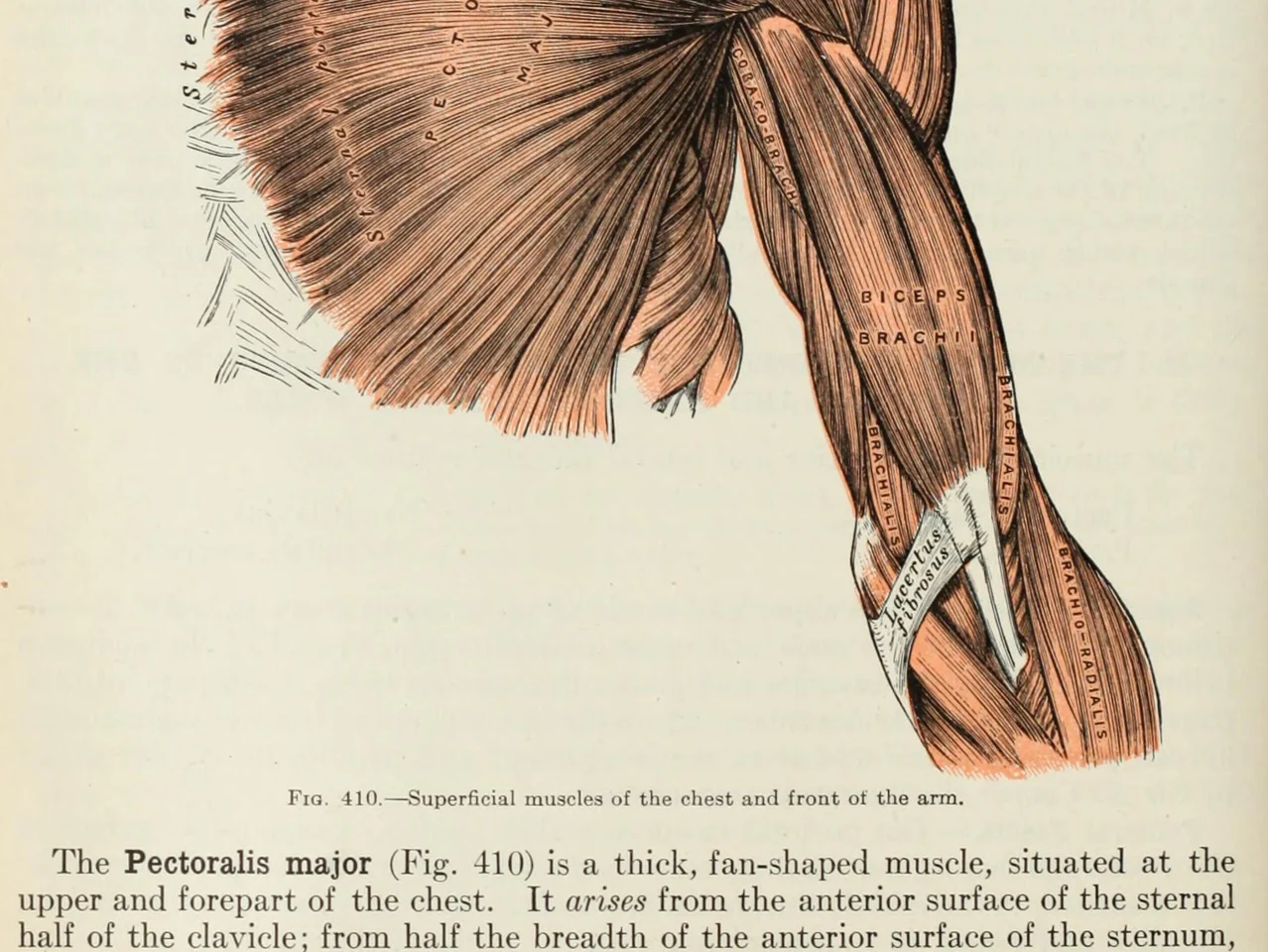
An anatomy plate of the muscles of the arm, each one labelled inside the drawing

Words inside pictures. Diagrams, labelled drawings, subtitles, a screenshot a friend sent you. If your eyes can read it, so can LeafyApp.

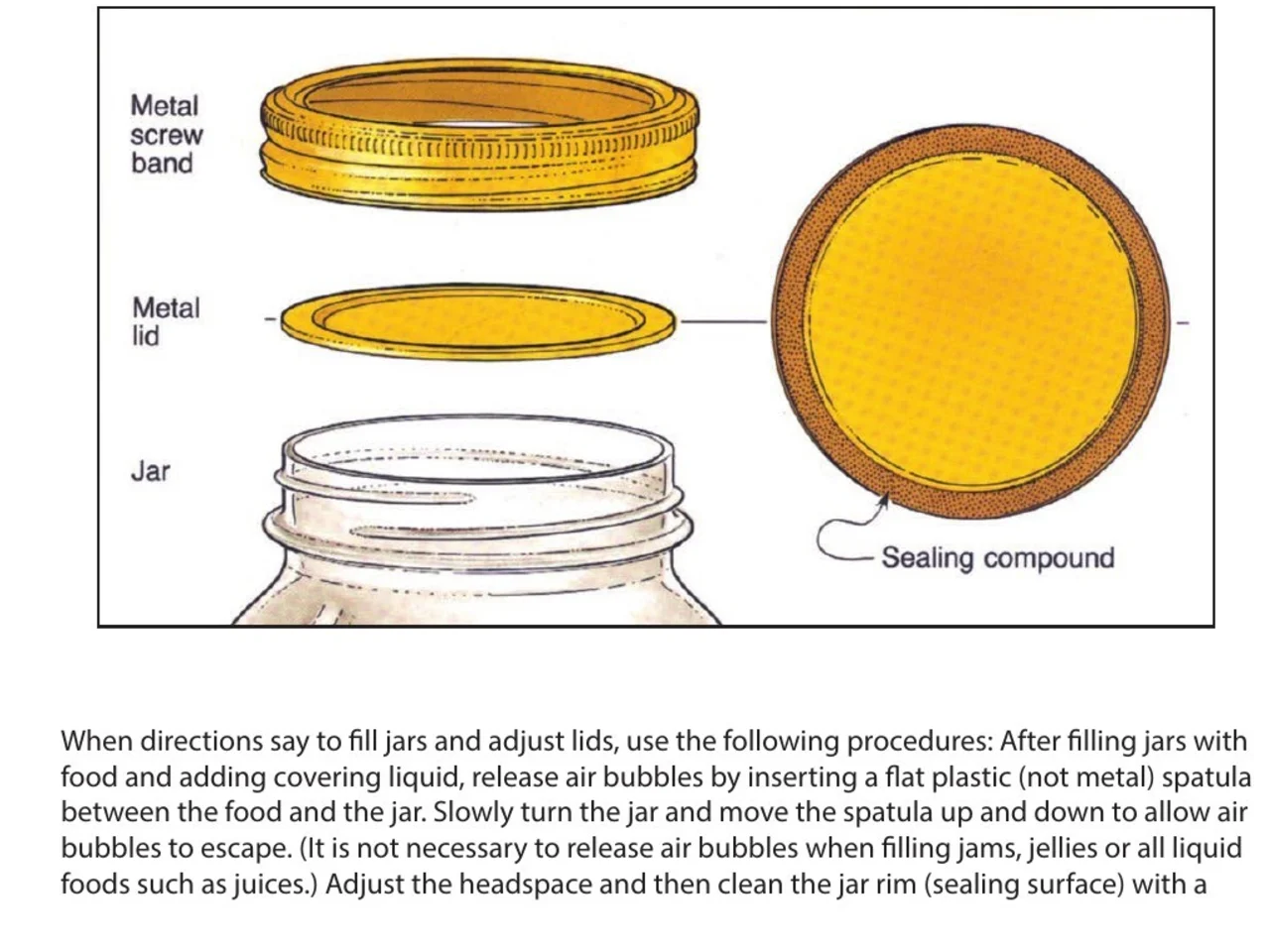
A step-by-step diagram of a canning jar, its screw band, lid and sealing compound each named beside it

Instructions and manuals. The part you need named beside the drawing of it, in a PDF nobody made selectable. Box the name, keep the step it belongs to.

An engineering drawing of the Space Shuttle payload bay, its parts keyed A to F to a legend beside the drawing

Drawings and plans. Every part named on a leader line, nothing of it text. Box the label and read what it means.

A page of a NASA technical memorandum: three plots and the figure caption under them

Papers and their figures. An axis label, a legend entry, a term in the caption. Box any of it where it sits, without leaving the page.

Drag it into a folder.
Write your own note.

Folders Drag words into a language, a course, a book. Each one keeps its own count.

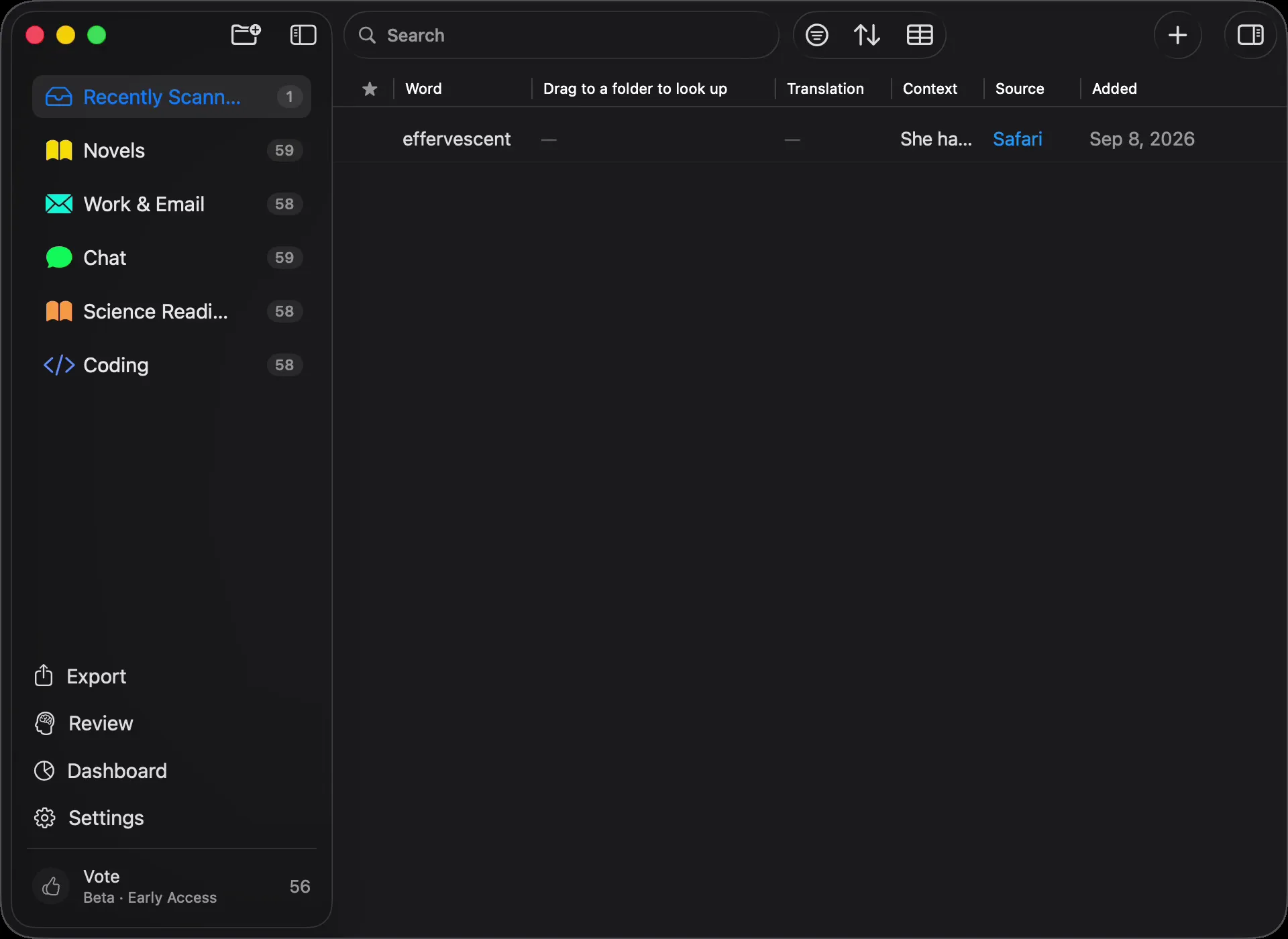
Where it came from Every word carries the sentence, the source, and the day you found it.

Defined by the sentence Not the dictionary entry filed under the word. The meaning it carries in the line you found it in.

In the sentence you met it The word comes back inside the line you saved it from, with one word blanked out. Not a bare card.

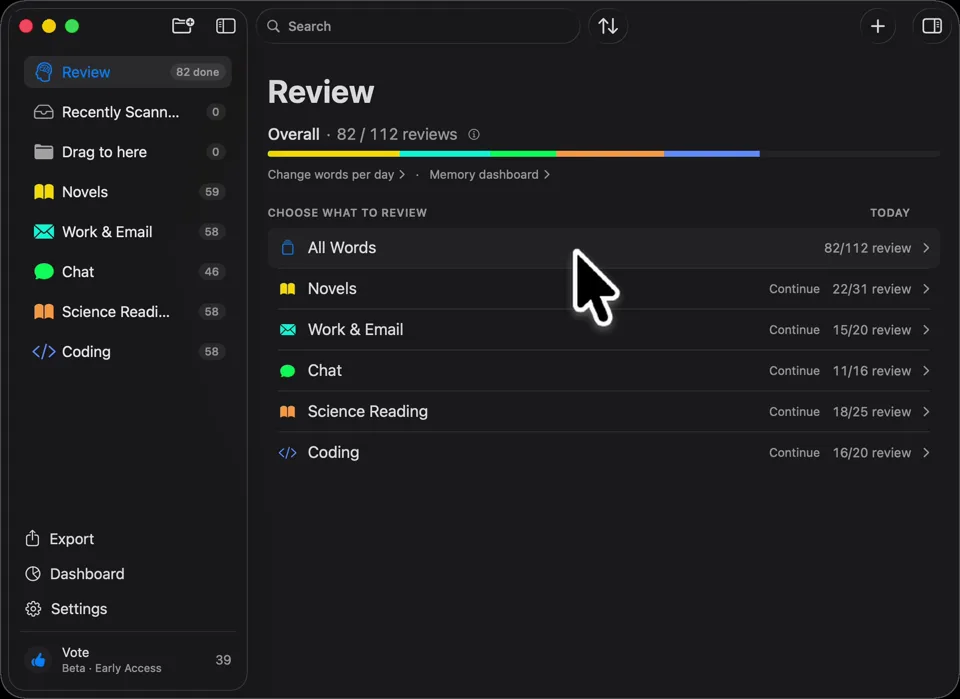
Scheduled for you FSRS-5, the algorithm Anki moved to. Intervals run from an hour to ten years.

Nothing to set up Every word you looked up is already in it. There is no deck to build first.

What people say

“I have probably cried closer to a quarter as many times in a week.”

pandaprincessThird-year medical student · Product Hunt

INSANELY responsive developer!! Will expand on this in the points below, since the features I LOVE tie into how responsive the developer is.

I'm currently a medical student who has started clinical rotations, so it is not only learning a lot of names of conditions, drugs and therapeutics on the fly. All of the drugs have both a brand name and a generic name, and on top of that every professional who uses the electronic medical record to write their notes uses abbreviations for the conditions, drugs and procedures.

Through mostly a variety of brainstorming / whining sessions (on my part):

I mentioned that having Leafy reference MY personal list of words and phrases first when scanning would be incredible, since medical abbreviations can mean other things in other contexts (example: SOB should be “shortness of breath”, not “son of a…” anyway). I think within 5 days the next update included that feature.

I mentioned the new feature was working perfectly, but that it might take me a while to build my vocab list in Leafy, and that there was no easy way to import everything I already had in my Anki deck (Anki is the flashcard app most med students rely on). Now the current version has an Anki integration, so with the settings adjusted, scanned words reference YOUR vocab list and/or YOUR Anki deck first, and if you don't have a card for it YOU CAN ADD IT DIRECTLY TO ANKI FROM WITHIN LEAFY.

The fact that this all happens inside the Leafy popup has made reading other providers' notes on the EMR SO much less stressful. Being able to translate a summary statement like “78M hx HTN, HLD, CAD s/p CABG and multiple PCIs, CKD3 transferred from OSH after 2 episodes of right sided vision loss and imaging demonstrating severe stenosis of L ICA” without leaving the screen is SUCH A GAME CHANGER.

I actually cannot rave enough about this app. The 3rd year of medical school is known to induce a good amount of crying from students, just from the sheer volume of information you need to process while studying and while helping care for patients. I have probably cried closer to a quarter as many times in a week, just from the time and frustration saved having an easier time referencing the terms I need, and it is making it 1000x faster for me to actually learn them.

Automatically saved with its surrounding context.

This is super cool! It is so nice that it quizzes you directly on the text you were reading instead of forcing you to build custom study lists.

Being able to scan a word anywhere on my screen and have it automatically saved with its surrounding context makes reviewing my study materials so much faster. I can already tell this will make tackling heavy reading assignments a lot less tedious.

AlawayProduct Hunt

The cleanest macOS app I have ever used.

Leafy saves the words and the contexts while I look up words reading papers, so I can review them later.

The context save is so smart. That is the key to making the word list alive. The AI responses are really fast and give the meaning in context, so I understand immediately. It is best for building a personal word list and reviewing later.

linryicProduct Hunt

It solves this gap brilliantly.

I was in search of a solution out of sheer desperation after constantly running into the limits of macOS’s built-in dictionary, which falls short across many third-party and proprietary applications. That is how I found Leafy.

Leafy’s interface is surprisingly intuitive and straightforward. It runs smoothly even on my older Apple M2 chip and clearly receives ongoing care, supported by a developer that resolves issues quickly.

The application integrates seamlessly with my workflow across a variety of apps, including Anki, Obsidian, Apple Books, Arc, and Discord. I especially appreciate that saved words retain their original context, which significantly boosts retention.

As a feature request for future updates, it would be incredible to have the ability to import custom dictionary files so we can rely on local data sources.

MaxDiscord

What it costs

Every lookup runs an AI. Someone has to pay for it.

Free

$0/mo

A little scanning, on us.

  • 12 lookups a day
  • 7 days of history and stats
  • Export to CSV

Download LeafyApp

Monthly

$6.99/mo

As much as you read. We pay the AI.

  • Unlimited lookups and translation
  • Unlimited history and stats
  • Export to Anki, Excel, JSON and PDF too

See Monthly

Yearly

$5/mo

$59.99 billed yearly. Save 29% over Monthly.

  • Unlimited lookups and translation
  • Unlimited history and stats
  • Export to Anki, Excel, JSON and PDF too
  • Two months free against Monthly

See Yearly

Want a discount?

$3.49 a month or $29.99 a year, forever.

Join the Discord

Questions

Where does it work?
  • Everywhere on screen
  • PDFs
  • Ebooks
  • Scanned pages
  • Images
  • Web pages
  • Video
  • Subtitles
  • The PopClip bar
Which languages?
  • Arabic
  • English
  • French
  • German
  • Greek
  • Italian
  • Japanese
  • Simplified Chinese
  • Spanish
  • Thai
  • Vietnamese
Import and export?
  • Anki
  • CSV
  • Excel
  • JSON
  • PDF
  • Import from a template
Where do the definitions come from?

An AI reads the word together with the sentence you saved it in, so you get the meaning it carries there rather than every sense in the dictionary. LeafyApp uses DeepSeek for this. AI gets things wrong sometimes, which is why the original sentence is always kept next to the definition.

What exactly leaves my Mac?

The word and the sentence around it. Nothing else. The screenshot is used to pull the letters out and then thrown away: never written to disk, never uploaded. There is no account, so nothing that goes out is attached to a name.

Does it work on scanned PDFs?

Yes. LeafyApp runs OCR on whatever you box, so a scanned page, a screenshot, a subtitle or a photo of a page all work the same as selectable text. The recognition runs on your Mac, not on a server.

Is LeafyApp watching my screen?

No. It only looks when you press the hotkey. The screenshot is never saved or sent, and text is the only thing that ever leaves your Mac.

What about privacy?
  • It only looks when you press the hotkey
  • The screenshot is never saved or sent
  • Only the word and its sentence go out
  • Your library stays on this Mac
  • No account, no ads
  • Usage stats can be switched off
  • Read the privacy policy