
LeafyApp

⌥A на будь-якому слові на екрані.
Читає речення, а не саме слово.

Завантажити

macOS 14+, повністю безкоштовно

Приєднуйтеся до інших читачів

Поки ви читаєте

She had read the word a hundred times before, but only now, by the river at dawn, did it truly land:
the water was effervescent , and for a moment the whole current seemed to lift and breathe, each ripple catching the first pale light and breaking it into a thousand small bubbles of gold that rose, trembled, and were gone before she could name them. She read the sentence again, slower this time, mouthing the word to feel its shape, and something about the morning, the cold air, the moving water, the hush over everything, made it stay with her for good.

Три клавіші, і воно твоє.

Натисни ⌥A Будь-де, у будь-якому застосунку. Курсор стає рамкою.

Обведи слово Протягни по чому завгодно на екрані. Текст чи картинка, без різниці.

Прочитай Значення з’являється під словом, у реченні, де ти його зустрів.

Сторінки, які ніхто інший не може виділити.

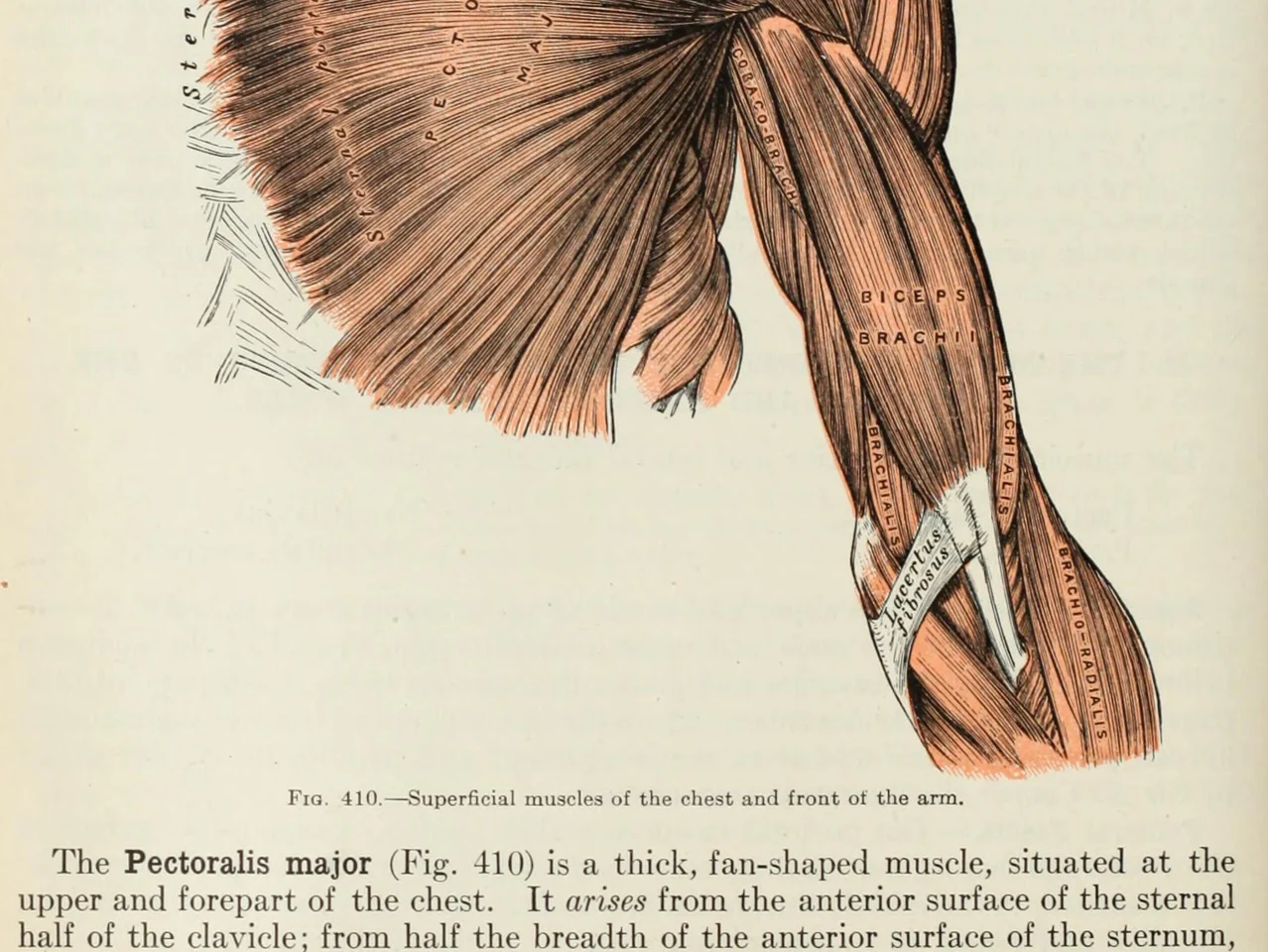
An anatomy plate of the muscles of the arm, each one labelled inside the drawing

Слова всередину картинок. Діаграми, підписані малюнки, субтитри, скриншот, який прислав друг. Якщо ви можете це прочитати, LeafyApp теж.

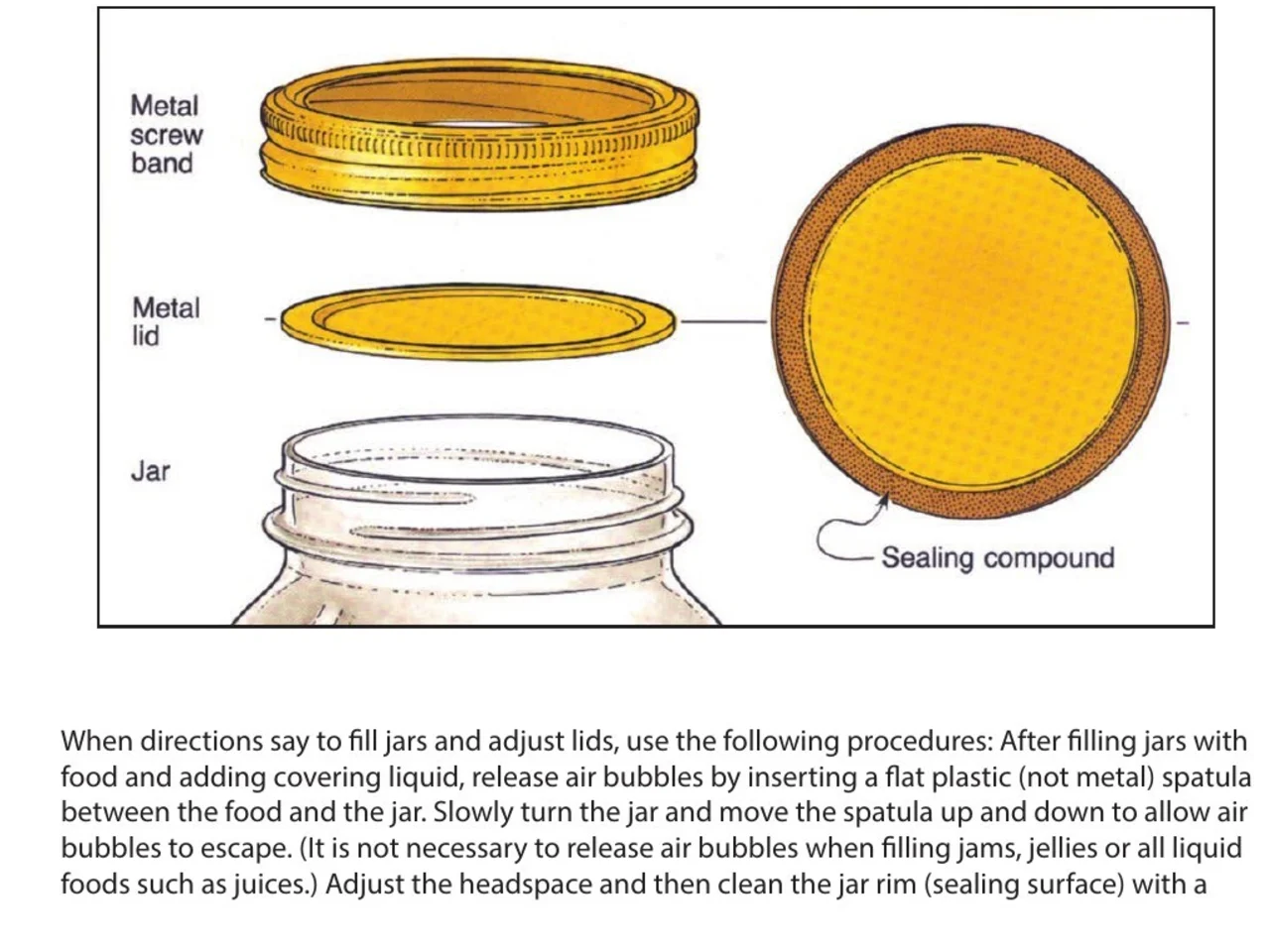
A step-by-step diagram of a canning jar, its screw band, lid and sealing compound each named beside it

Інструкції та посібники. Назва деталі поруч з її малюнком у PDF, який ніхто не зробив виділюваним. Обведіть назву, випишіть крок, до якого вона належить.

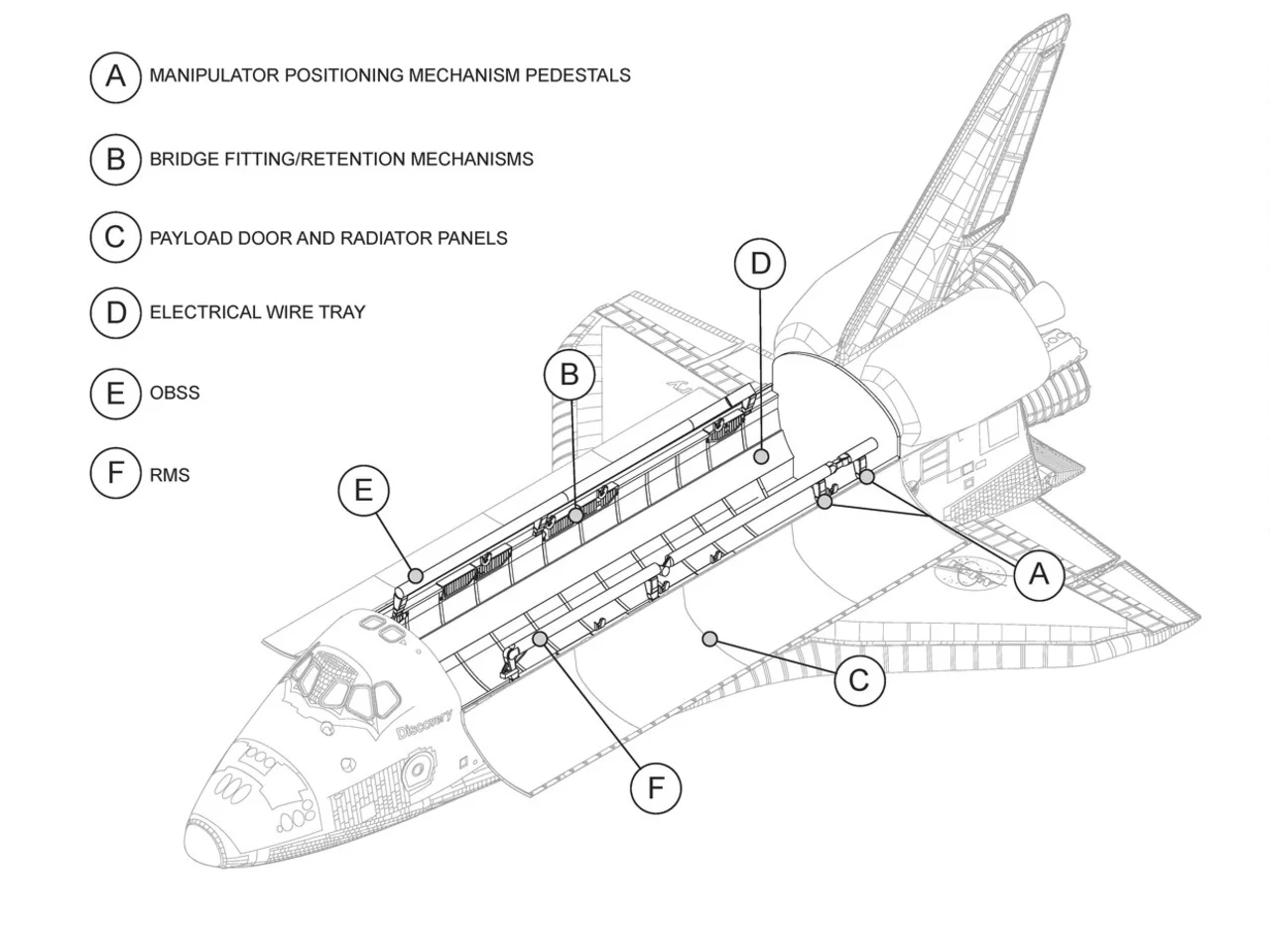
An engineering drawing of the Space Shuttle payload bay, its parts keyed A to F to a legend beside the drawing

Креслення та плани. Кожна деталь підписана виносною лінією, нічого з цього не текст. Обведіть підпис і прочитайте, що він означає.

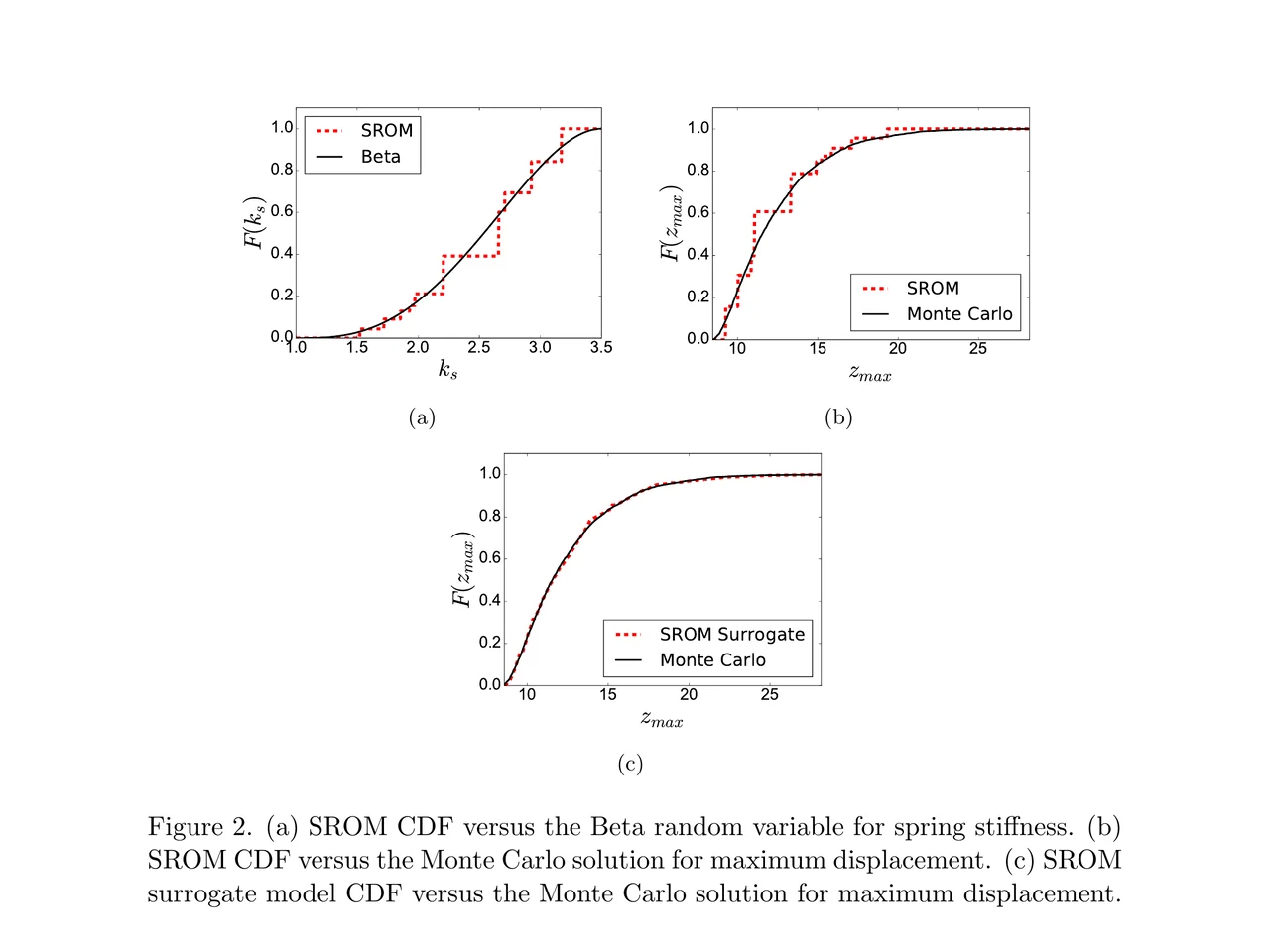
A page of a NASA technical memorandum: three plots and the figure caption under them

Статті та їхні ілюстрації. Підпис осі, легенда, термін у підписі. Обведіть будь-яке з цього там, де воно лежить, не покидаючи сторінку.

Перетягни в папку.
Напиши власну нотатку.

Папки Перетягуй слова в мову, курс, книжку. Кожна папка має власний лічильник.

Звідки воно Кожне слово несе речення, джерело й день, коли ти його знайшов.

Значення з речення Не словникова стаття під цим словом. Те значення, яке воно має в рядку, де ти його знайшов.

У реченні, де ти його зустрів Слово повертається в тому рядку, з якого ти його зберіг, з одним пропуском. Не гола картка.

Розклад за тебе FSRS-5, алгоритм, на який перейшов Anki. Інтервали від години до десяти років.

Нічого налаштовувати Кожне слово, яке ти дивився, вже там. Колоду наперед збирати не треба.

Що кажуть люди

“I have probably cried closer to a quarter as many times in a week.”

pandaprincessТретій курс медичного · Product Hunt

INSANELY responsive developer!! Will expand on this in the points below, since the features I LOVE tie into how responsive the developer is.

I'm currently a medical student who has started clinical rotations, so it is not only learning a lot of names of conditions, drugs and therapeutics on the fly. All of the drugs have both a brand name and a generic name, and on top of that every professional who uses the electronic medical record to write their notes uses abbreviations for the conditions, drugs and procedures.

Through mostly a variety of brainstorming / whining sessions (on my part):

I mentioned that having Leafy reference MY personal list of words and phrases first when scanning would be incredible, since medical abbreviations can mean other things in other contexts (example: SOB should be “shortness of breath”, not “son of a…” anyway). I think within 5 days the next update included that feature.

I mentioned the new feature was working perfectly, but that it might take me a while to build my vocab list in Leafy, and that there was no easy way to import everything I already had in my Anki deck (Anki is the flashcard app most med students rely on). Now the current version has an Anki integration, so with the settings adjusted, scanned words reference YOUR vocab list and/or YOUR Anki deck first, and if you don't have a card for it YOU CAN ADD IT DIRECTLY TO ANKI FROM WITHIN LEAFY.

The fact that this all happens inside the Leafy popup has made reading other providers' notes on the EMR SO much less stressful. Being able to translate a summary statement like “78M hx HTN, HLD, CAD s/p CABG and multiple PCIs, CKD3 transferred from OSH after 2 episodes of right sided vision loss and imaging demonstrating severe stenosis of L ICA” without leaving the screen is SUCH A GAME CHANGER.

I actually cannot rave enough about this app. The 3rd year of medical school is known to induce a good amount of crying from students, just from the sheer volume of information you need to process while studying and while helping care for patients. I have probably cried closer to a quarter as many times in a week, just from the time and frustration saved having an easier time referencing the terms I need, and it is making it 1000x faster for me to actually learn them.

Automatically saved with its surrounding context.

This is super cool! It is so nice that it quizzes you directly on the text you were reading instead of forcing you to build custom study lists.

Being able to scan a word anywhere on my screen and have it automatically saved with its surrounding context makes reviewing my study materials so much faster. I can already tell this will make tackling heavy reading assignments a lot less tedious.

AlawayProduct Hunt

The cleanest macOS app I have ever used.

Leafy saves the words and the contexts while I look up words reading papers, so I can review them later.

The context save is so smart. That is the key to making the word list alive. The AI responses are really fast and give the meaning in context, so I understand immediately. It is best for building a personal word list and reviewing later.

linryicProduct Hunt

It solves this gap brilliantly.

I was in search of a solution out of sheer desperation after constantly running into the limits of macOS’s built-in dictionary, which falls short across many third-party and proprietary applications. That is how I found Leafy.

Leafy’s interface is surprisingly intuitive and straightforward. It runs smoothly even on my older Apple M2 chip and clearly receives ongoing care, supported by a developer that resolves issues quickly.

The application integrates seamlessly with my workflow across a variety of apps, including Anki, Obsidian, Apple Books, Arc, and Discord. I especially appreciate that saved words retain their original context, which significantly boosts retention.

As a feature request for future updates, it would be incredible to have the ability to import custom dictionary files so we can rely on local data sources.

MaxDiscord

Скільки це коштує

Кожен запит запускає ШІ. Хтось за нього платить.

Безкоштовно

$0

Трохи сканування. За ШІ платимо ми.

  • 12 запитів на день
  • Історія та статистика за 7 днів
  • Експорт у CSV

Завантажити LeafyApp

Щомісяця

$6.99

Скануйте скільки завгодно. За ШІ платимо ми.

  • Безліміт пошуку і перекладу
  • Вся історія та статистика
  • Експорт у PDF та таблиці

Докладніше про підписку

Річна підписка

$5

$59.99 на рік. Економія 29% проти щомісячної.

  • Безліміт пошуку і перекладу
  • Вся історія та статистика
  • Експорт у PDF та таблиці
  • Два місяці безплатно проти щомісячної

Річна підписка

Хочете знижку?

3,49 $ на місяць або 29,99 $ на рік, назавжди.

Приєднатися до Discord

Питання

Де працює?
  • Будь-де на екрані
  • PDF
  • Електронні книги
  • Скановані сторінки
  • Зображення
  • Веб-сторінки
  • Відео
  • Субтитри
  • Панель PopClip
Які мови?
  • Арабська
  • Англійська
  • Французька
  • Німецька
  • Грецька
  • Італійська
  • Японська
  • Китайська спрощена
  • Іспанська
  • Тайська
  • В’єтнамська
Імпорт і експорт?
Звідки беруться значення?

Модель читає слово разом із реченням, у якому ви його зберегли, тож ви отримуєте значення саме в цьому контексті, а не всі словникові значення підряд. LeafyApp використовує DeepSeek. ШІ інколи помиляється, тому вихідне речення завжди лишається поруч зі значенням.

Що саме залишає мій Mac?

Слово і речення навколо нього. Більше нічого. Знімок екрана потрібен лише щоб витягти літери, після чого його відкидають: він не записується на диск і не надсилається. Акаунта немає, тож те, що виходить, ні до чийого імені не прив'язане.

Чи працює це зі сканами PDF?

Так. LeafyApp розпізнає текст (OCR) у виділеній області, тож скан, знімок екрана, субтитри чи фотографія сторінки працюють так само, як виділюваний текст. Розпізнавання відбувається на вашому Mac, а не на сервері.

LeafyApp весь час дивиться на мій екран?

Ні. Лише в момент натискання комбінації клавіш і лише на виділену вами область. У фоні нічого не працює, знімок екрана не зберігається і не надсилається.

А приватність?
  • Дивиться на екран лише коли ви натискаєте комбінацію клавіш
  • Знімок екрана не зберігається і не надсилається
  • Назовні йдуть лише слово та його речення
  • Ваша бібліотека залишається на цьому Mac
  • Без акаунта, без реклами
  • Статистику використання можна вимкнути
  • Читати політику конфіденційності