
LeafyApp

화면의 어떤 단어든 ⌥A.
단어만이 아니라 문장을 읽습니다.

다운로드

macOS 14+, 완전 무료

다른 독자들과 함께하기

책을 읽는 동안

She had read the word a hundred times before, but only now, by the river at dawn, did it truly land:
the water was effervescent , and for a moment the whole current seemed to lift and breathe, each ripple catching the first pale light and breaking it into a thousand small bubbles of gold that rose, trembled, and were gone before she could name them. She read the sentence again, slower this time, mouthing the word to feel its shape, and something about the morning, the cold air, the moving water, the hush over everything, made it stay with her for good.

키 세 개면 내 것이 된다.

⌥A 누르기 어디서든, 어떤 앱에서든. 커서가 상자로 바뀐다.

단어를 상자로 감싸기 화면 위를 끌기만 하면 된다. 글자든 그림이든 상관없다.

읽기 뜻이 단어 아래, 만났던 그 문장 안에 나타난다.

다른 어디서도 선택할 수 없는 페이지들.

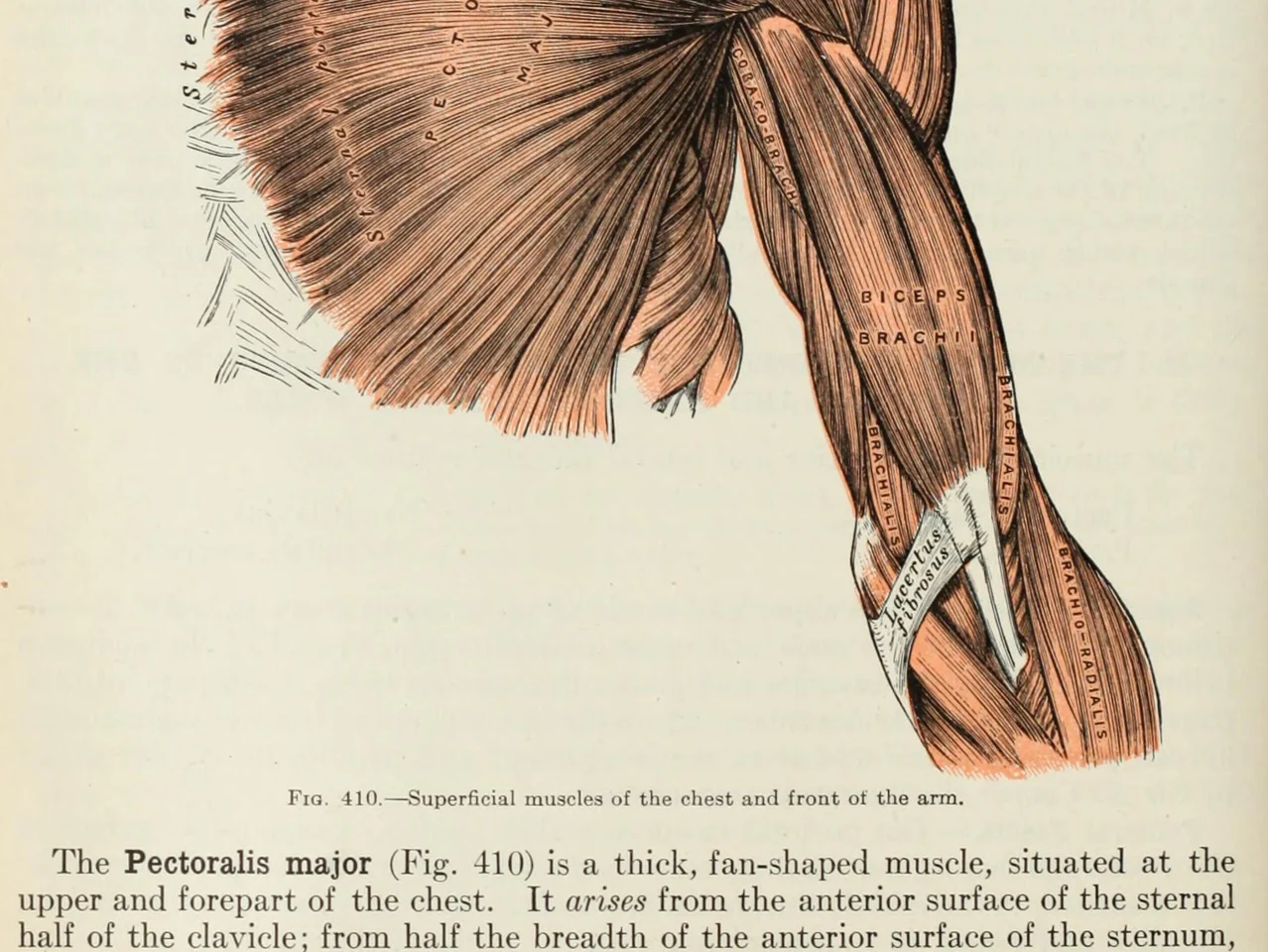
An anatomy plate of the muscles of the arm, each one labelled inside the drawing

그림 속의 단어. 다이어그램, 레이블이 붙은 그림, 자막, 친구가 보낸 스크린샷. 눈으로 읽을 수 있으면 LeafyApp도 읽을 수 있습니다.

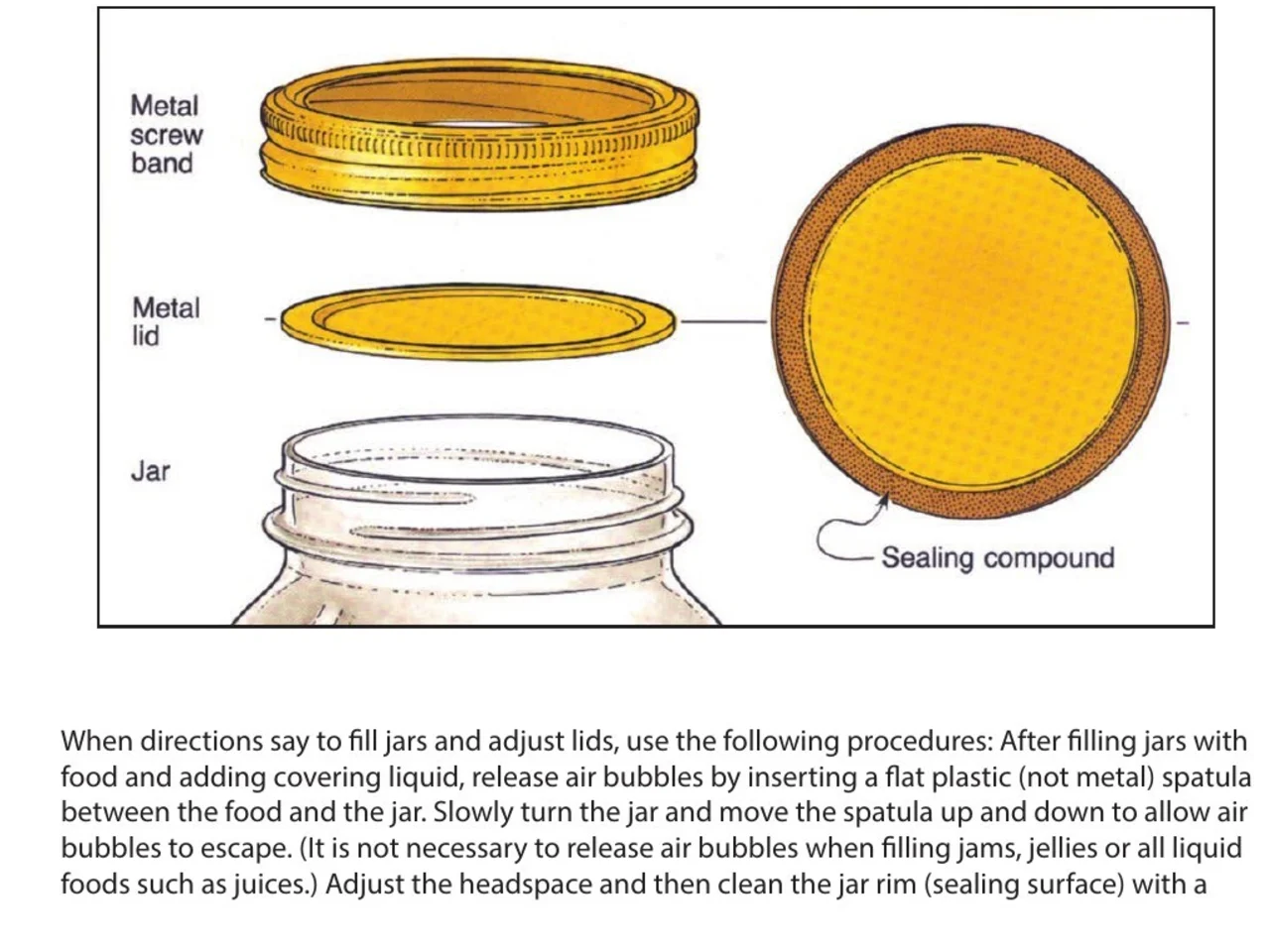
A step-by-step diagram of a canning jar, its screw band, lid and sealing compound each named beside it

지시사항과 설명서. 필요한 부분이 옆 그림에 이름이 붙어 있지만 아무도 선택할 수 없게 만든 PDF. 이름을 상자로 둘러싸고 속한 단계를 유지합니다.

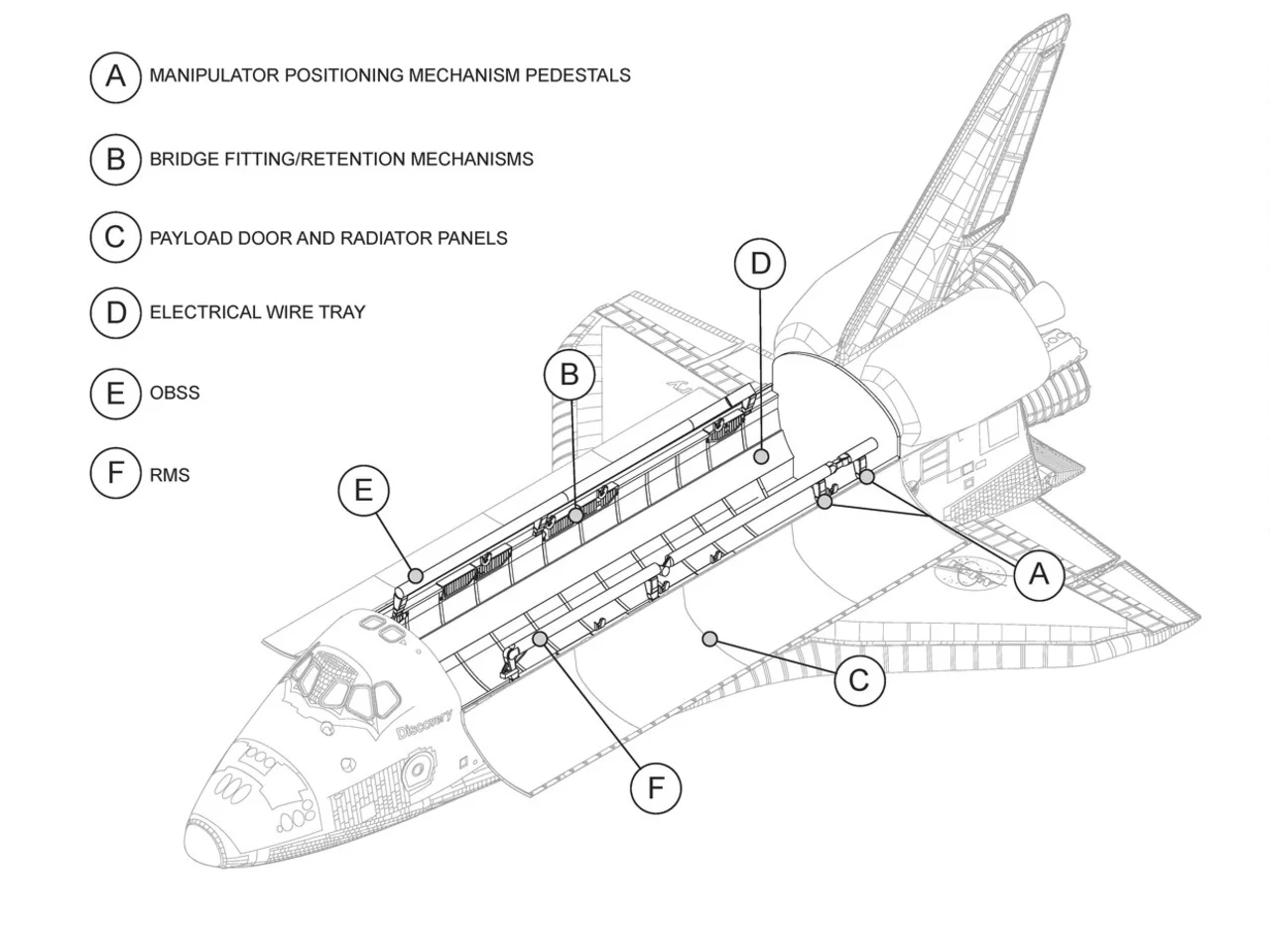
An engineering drawing of the Space Shuttle payload bay, its parts keyed A to F to a legend beside the drawing

도면과 설계도. 모든 부분이 지시선 위에 이름이 붙어 있고 텍스트는 없습니다. 레이블을 상자로 둘러싸고 그것이 무엇을 의미하는지 읽습니다.

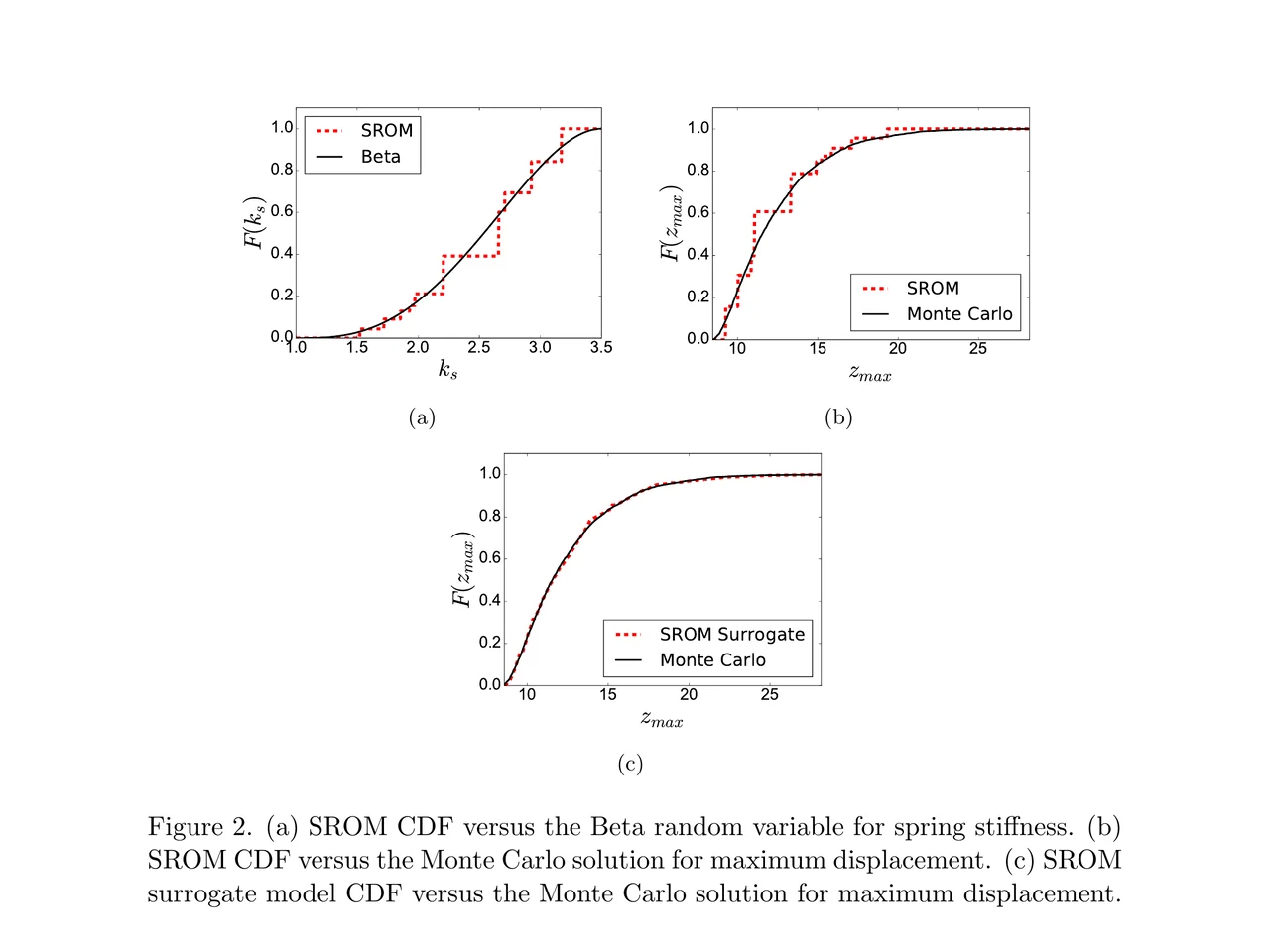
A page of a NASA technical memorandum: three plots and the figure caption under them

논문과 그림들. 축 레이블, 범례 항목, 캡션의 용어. 어느 것이든 그 위치에 상자를 둘러싸고 페이지를 떠나지 않고 읽습니다.

폴더에 끌어다 놓기.
나만의 메모 쓰기.

폴더 언어, 강의, 책별로 단어를 끌어다 놓기. 폴더마다 개수가 따로 표시된다.

어디서 왔는지 모든 단어에 그 문장, 출처, 발견한 날짜가 함께 붙는다.

문장이 정하는 뜻 사전에서 그 단어 아래 적힌 항목이 아니라, 그 줄에서 실제로 쓰인 뜻.

만났던 그 문장 안에서 저장했던 문장 안에 한 단어만 빈칸으로 돌아온다. 맨 카드가 아니다.

일정은 알아서 Anki가 넘어간 알고리즘 FSRS-5. 간격은 한 시간부터 십 년까지.

만들 것 없음 찾아본 단어는 이미 다 들어 있다. 먼저 덱을 만들 필요가 없다.

사용자 이야기

“I have probably cried closer to a quarter as many times in a week.”

pandaprincess의대 3학년 · Product Hunt

INSANELY responsive developer!! Will expand on this in the points below, since the features I LOVE tie into how responsive the developer is.

I'm currently a medical student who has started clinical rotations, so it is not only learning a lot of names of conditions, drugs and therapeutics on the fly. All of the drugs have both a brand name and a generic name, and on top of that every professional who uses the electronic medical record to write their notes uses abbreviations for the conditions, drugs and procedures.

Through mostly a variety of brainstorming / whining sessions (on my part):

I mentioned that having Leafy reference MY personal list of words and phrases first when scanning would be incredible, since medical abbreviations can mean other things in other contexts (example: SOB should be “shortness of breath”, not “son of a…” anyway). I think within 5 days the next update included that feature.

I mentioned the new feature was working perfectly, but that it might take me a while to build my vocab list in Leafy, and that there was no easy way to import everything I already had in my Anki deck (Anki is the flashcard app most med students rely on). Now the current version has an Anki integration, so with the settings adjusted, scanned words reference YOUR vocab list and/or YOUR Anki deck first, and if you don't have a card for it YOU CAN ADD IT DIRECTLY TO ANKI FROM WITHIN LEAFY.

The fact that this all happens inside the Leafy popup has made reading other providers' notes on the EMR SO much less stressful. Being able to translate a summary statement like “78M hx HTN, HLD, CAD s/p CABG and multiple PCIs, CKD3 transferred from OSH after 2 episodes of right sided vision loss and imaging demonstrating severe stenosis of L ICA” without leaving the screen is SUCH A GAME CHANGER.

I actually cannot rave enough about this app. The 3rd year of medical school is known to induce a good amount of crying from students, just from the sheer volume of information you need to process while studying and while helping care for patients. I have probably cried closer to a quarter as many times in a week, just from the time and frustration saved having an easier time referencing the terms I need, and it is making it 1000x faster for me to actually learn them.

Automatically saved with its surrounding context.

This is super cool! It is so nice that it quizzes you directly on the text you were reading instead of forcing you to build custom study lists.

Being able to scan a word anywhere on my screen and have it automatically saved with its surrounding context makes reviewing my study materials so much faster. I can already tell this will make tackling heavy reading assignments a lot less tedious.

AlawayProduct Hunt

The cleanest macOS app I have ever used.

Leafy saves the words and the contexts while I look up words reading papers, so I can review them later.

The context save is so smart. That is the key to making the word list alive. The AI responses are really fast and give the meaning in context, so I understand immediately. It is best for building a personal word list and reviewing later.

linryicProduct Hunt

It solves this gap brilliantly.

I was in search of a solution out of sheer desperation after constantly running into the limits of macOS’s built-in dictionary, which falls short across many third-party and proprietary applications. That is how I found Leafy.

Leafy’s interface is surprisingly intuitive and straightforward. It runs smoothly even on my older Apple M2 chip and clearly receives ongoing care, supported by a developer that resolves issues quickly.

The application integrates seamlessly with my workflow across a variety of apps, including Anki, Obsidian, Apple Books, Arc, and Discord. I especially appreciate that saved words retain their original context, which significantly boosts retention.

As a feature request for future updates, it would be incredible to have the ability to import custom dictionary files so we can rely on local data sources.

MaxDiscord

가격

찾아볼 때마다 AI가 돌아갑니다. 누군가는 그 값을 냅니다.

무료

$0/월

가볍게 스캔. AI 비용은 저희가 냅니다.

  • 하루 12번 조회
  • 7일간의 히스토리와 통계
  • CSV로 내보내기

LeafyApp 내려받기

월간

$6.99/월

원하는 만큼 스캔. AI 비용은 저희가 냅니다.

  • 무제한 찾아보기와 번역
  • 모든 히스토리와 통계
  • Anki, Excel, JSON, PDF로도 내보내기

월간 보기

연간

$5/월

$59.99 연간 청구됨. 월간 대비 29% 절약.

  • 무제한 찾아보기와 번역
  • 모든 히스토리와 통계
  • Anki, Excel, JSON, PDF로도 내보내기
  • 2개월 무료 월간과 비교

연간 보기

할인받고 싶다면?

월 $3.49 또는 연 $29.99, 평생.

Discord 참여하기

질문

어디서 되나요?
  • 화면 어디서나
  • PDF
  • 전자책
  • 스캔한 페이지
  • 이미지
  • 웹페이지
  • 동영상
  • 자막
  • PopClip 바
어떤 언어를 지원하나요?
  • 아랍어
  • 영어
  • 프랑스어
  • 독일어
  • 그리스어
  • 이탈리아어
  • 일본어
  • 중국어 간체
  • 스페인어
  • 태국어
  • 베트남어
가져오기와 내보내기는?
  • Anki
  • CSV
  • Excel
  • JSON
  • PDF
  • 템플릿에서 가져오기
뜻은 어디에서 오나요?

AI가 단어와 저장할 때의 문장을 함께 읽습니다. 그래서 사전의 모든 뜻이 아니라 그 문장에서의 뜻을 돌려줍니다. LeafyApp는 DeepSeek을 사용합니다. AI는 가끔 틀리기 때문에 원래 문장을 뜻 옆에 항상 남겨 둡니다.

Mac에서 나가는 건 정확히 무엇인가요?

단어와 그 주변 문장뿐입니다. 그 외에는 없습니다. 스크린샷은 글자를 뽑아내는 데만 쓰이고 곧바로 버려집니다. 디스크에 쓰지도, 업로드하지도 않습니다. 계정이 없으므로 나가는 것은 누구의 이름에도 붙지 않습니다.

스캔한 PDF에서도 되나요?

됩니다. 드래그한 영역을 LeafyApp가 OCR로 읽기 때문에 스캔본, 스크린샷, 자막, 지면 사진 모두 선택 가능한 텍스트와 똑같이 작동합니다. 인식은 서버가 아니라 사용자의 Mac에서 실행됩니다.

LeafyApp가 제 화면을 계속 보고 있나요?

아니요. 단축키를 누른 그 순간, 드래그한 영역만 봅니다. 백그라운드에서 도는 것은 없고 스크린샷은 저장하지도 보내지도 않습니다。

개인정보는요?
  • 단축키를 누를 때만 화면을 봅니다
  • 스크린샷은 저장하지도 보내지도 않습니다
  • 나가는 것은 단어와 그 문장뿐입니다
  • 단어장은 이 Mac에만 남습니다
  • 계정 없음, 광고 없음
  • 사용 통계는 끌 수 있습니다
  • 개인정보 처리방침 읽기